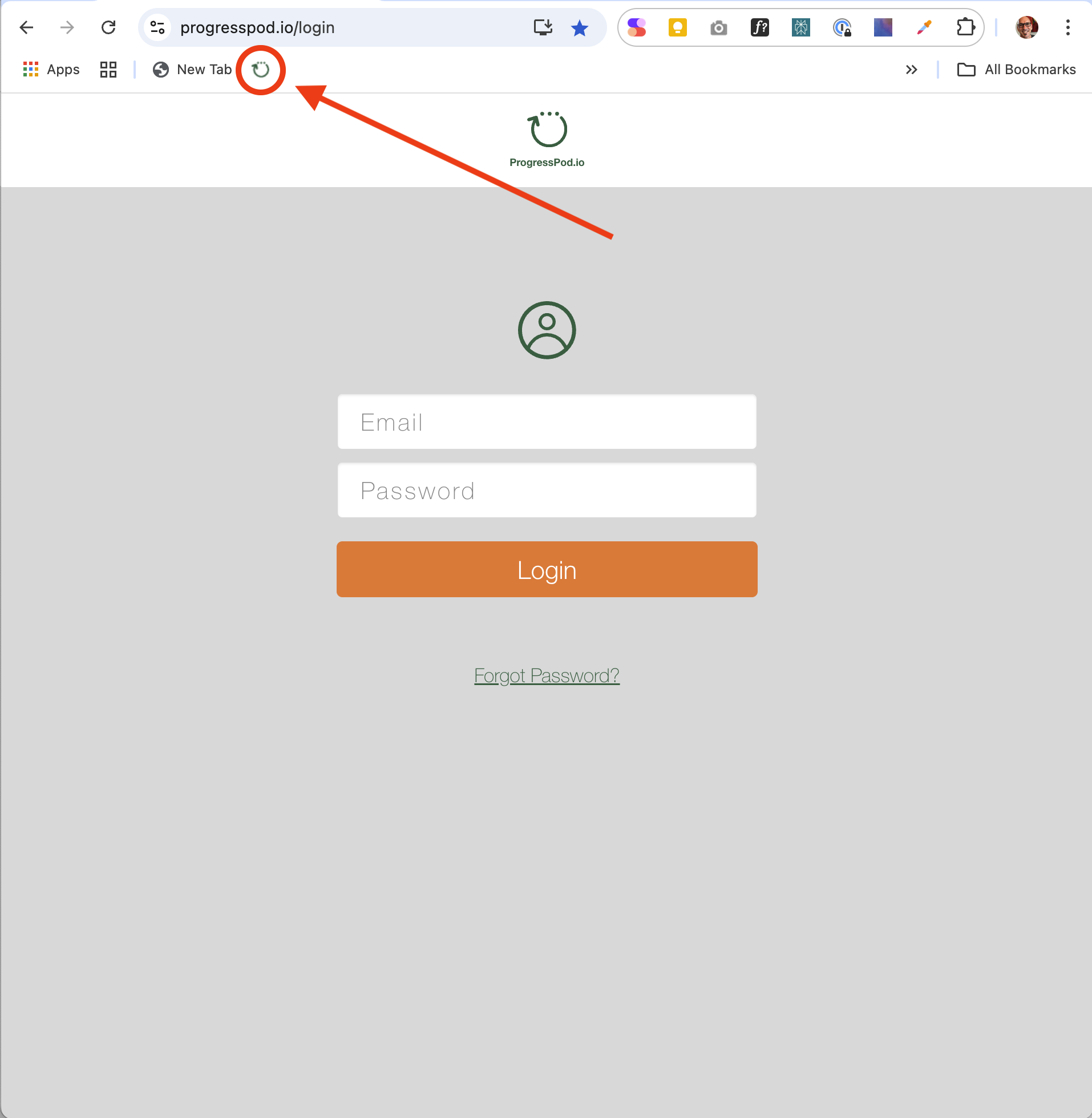
Adding ProgressPod.io as a bookmark on your browser makes it easy and fast to find and open ProgressPod.io.
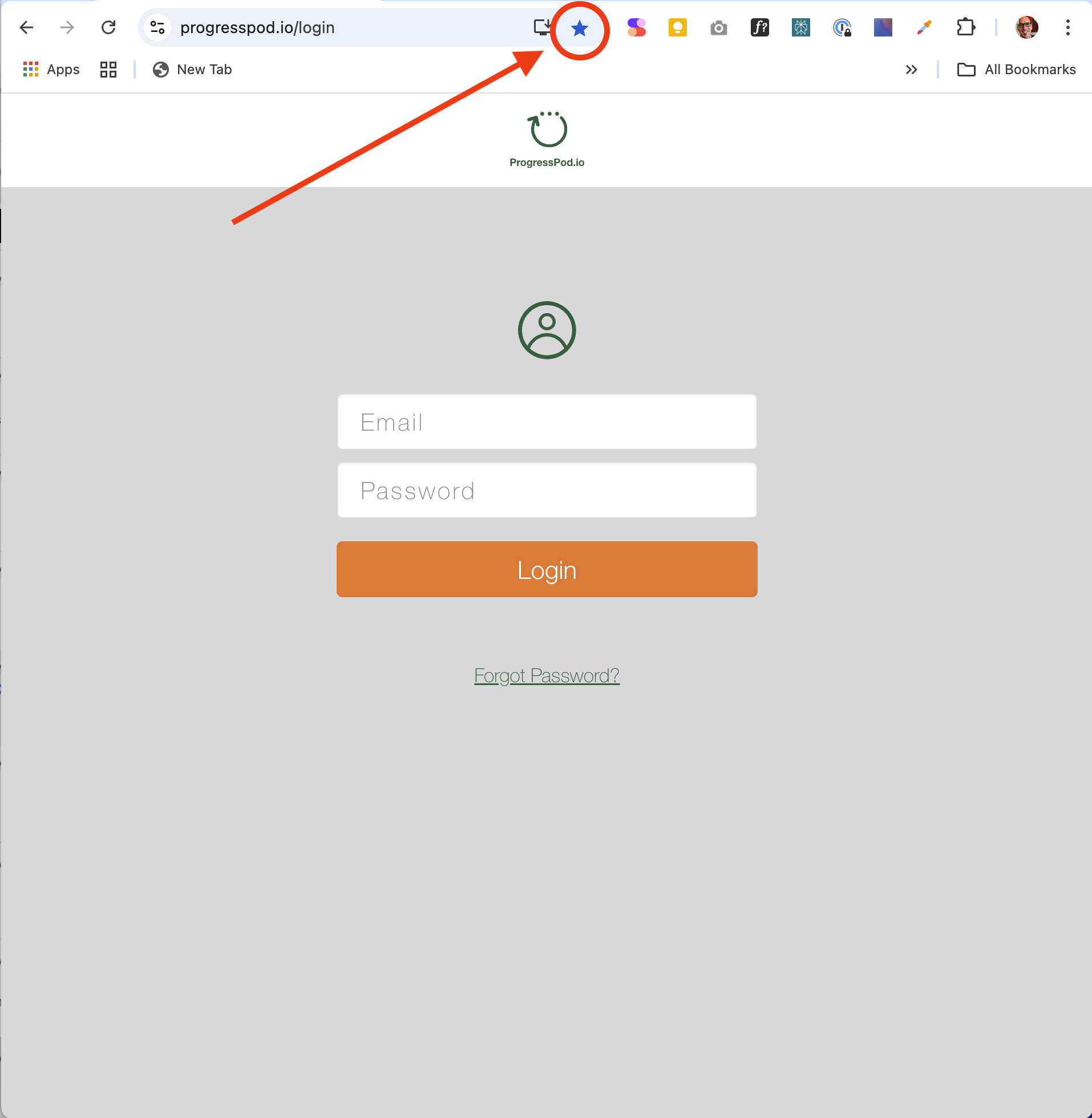
1. Go to https://ProgressPod.io/login and click the blue star at the end of the URL bar.
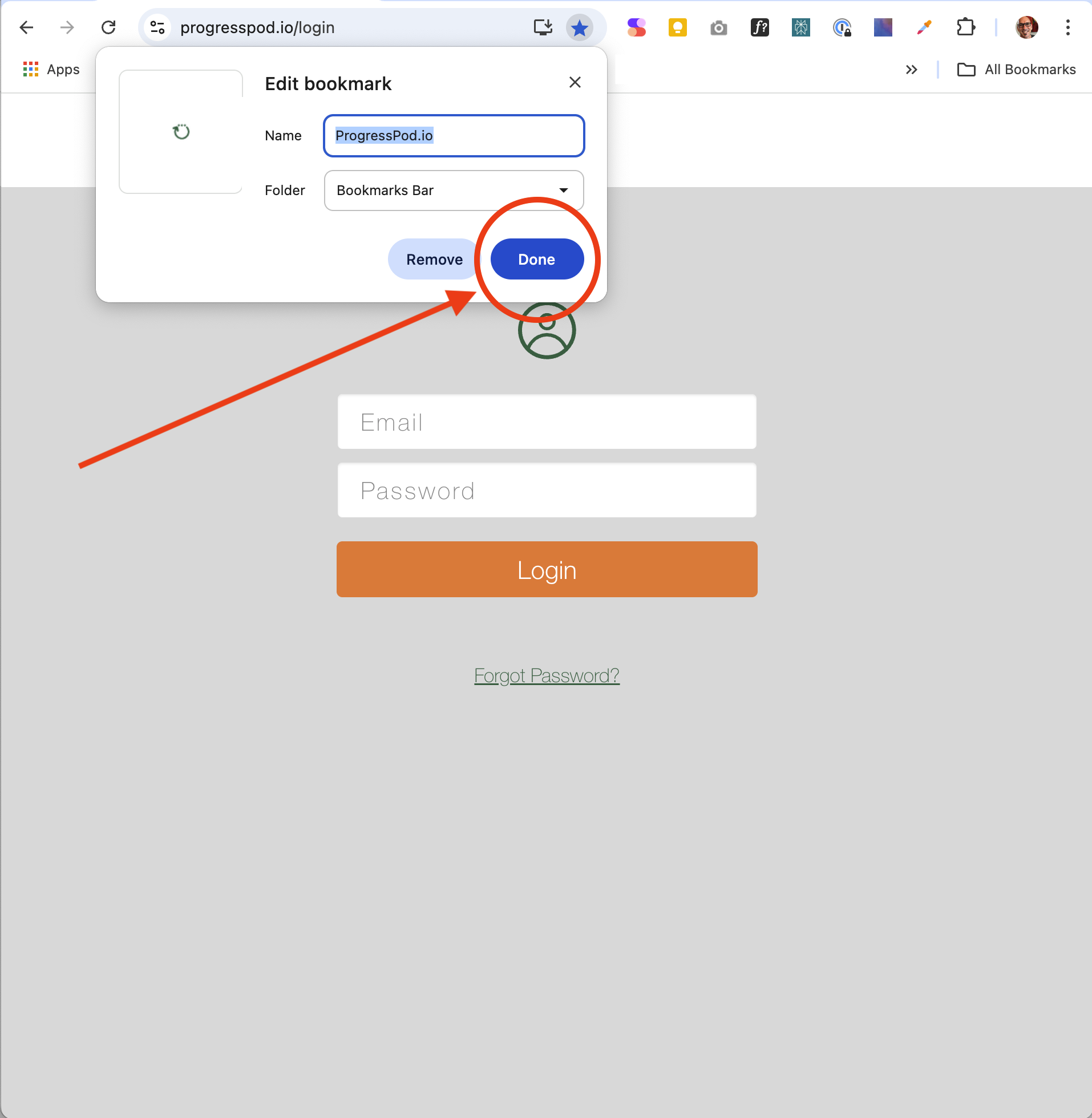
2. Click the 'Done' button in the 'Edit bookmark' window popup.
3. ProgresPod.io has now been added to your bookmark bar. You can now click this button to instantly go to ProgressPod.io