From time to time a Pod Leader may decide to step down and no longer lead their pod.
When this happens it is simple to make an existing participant in the pod the new pod leader.
1. Click the View participants and pods link.

This will open the participants and pods screen.
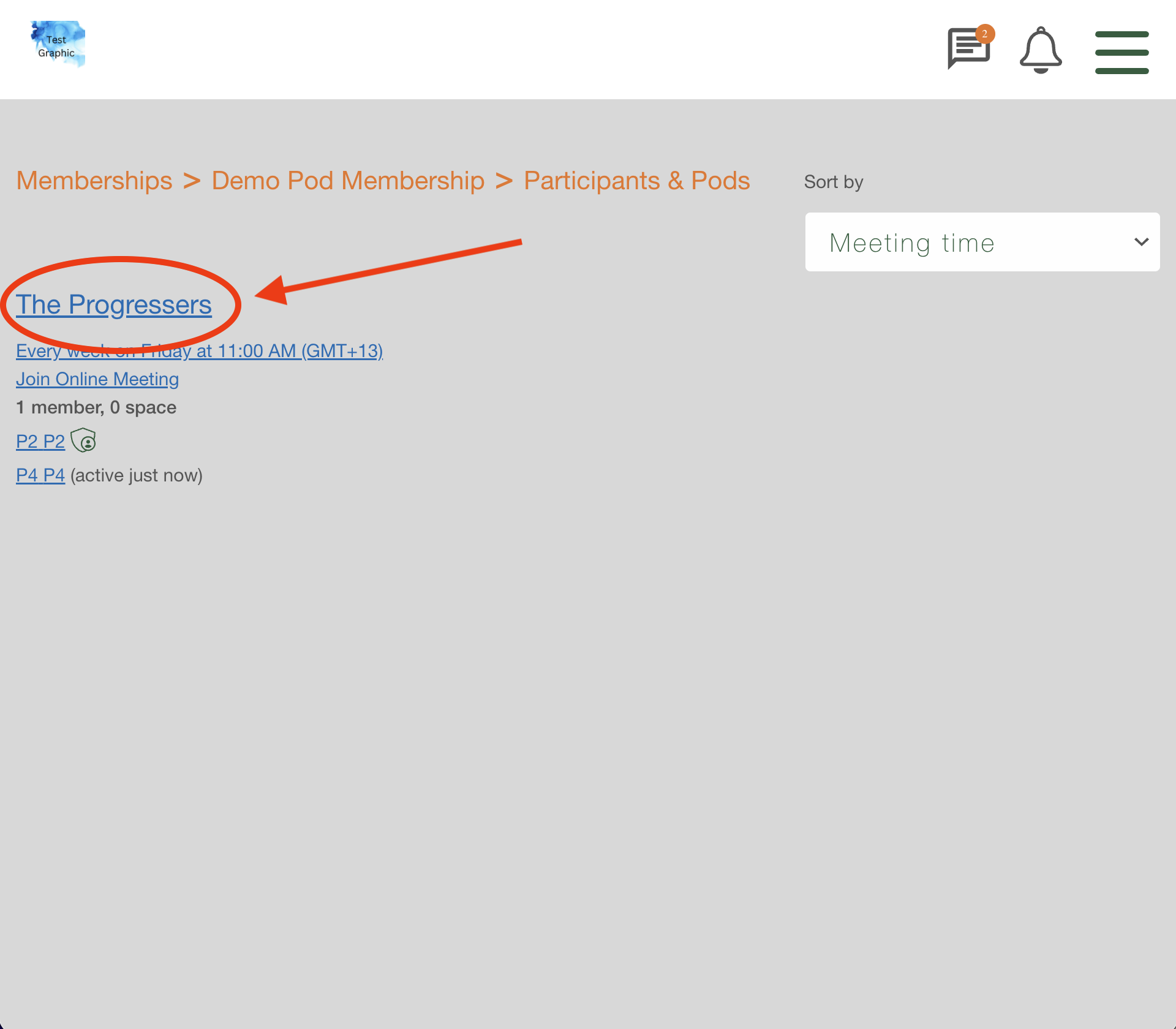
2. Click on the name of the pod that you want to swap the leader.
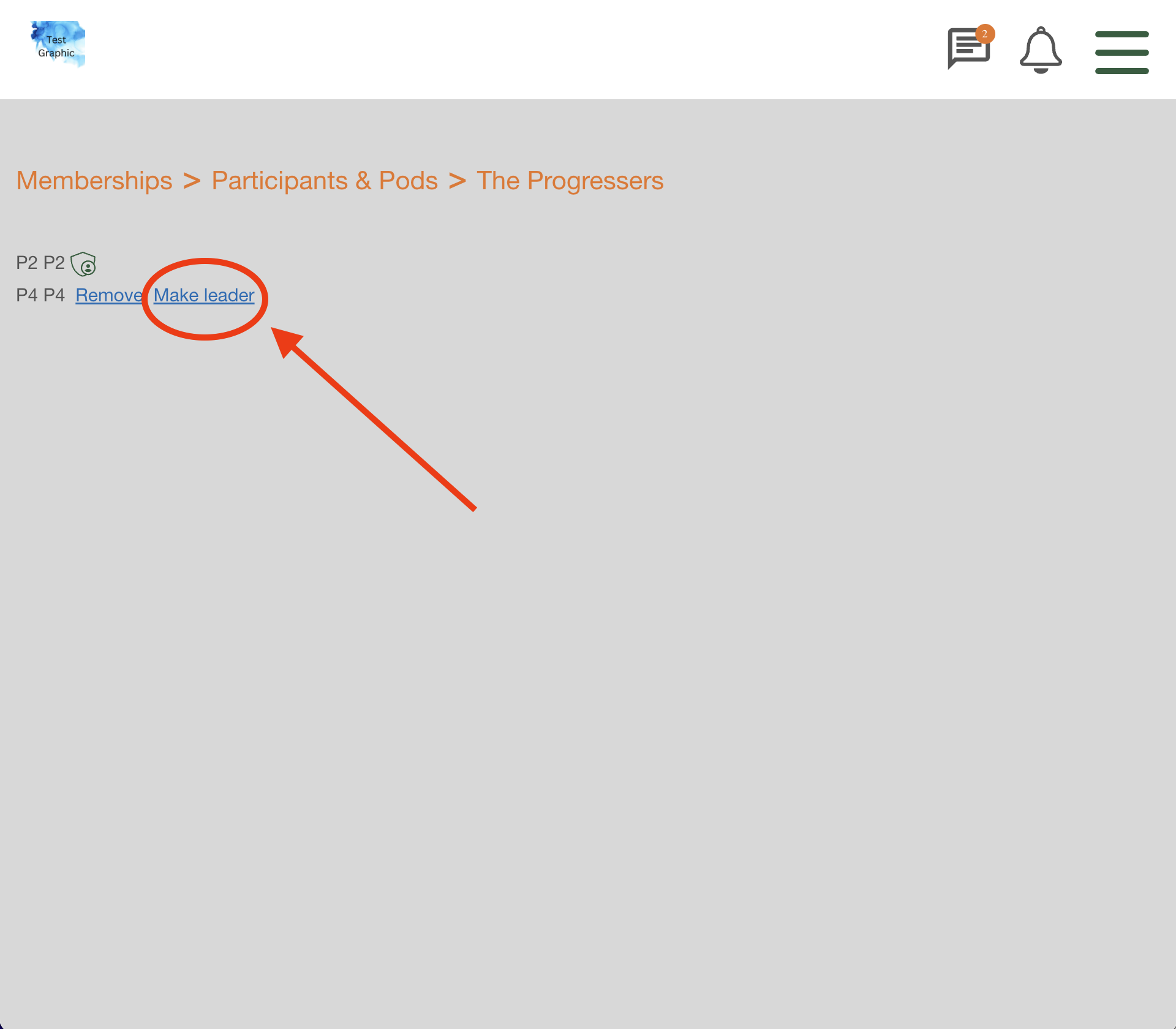
3. Click the Make leader link next to the name of the person you want to make the new leader.
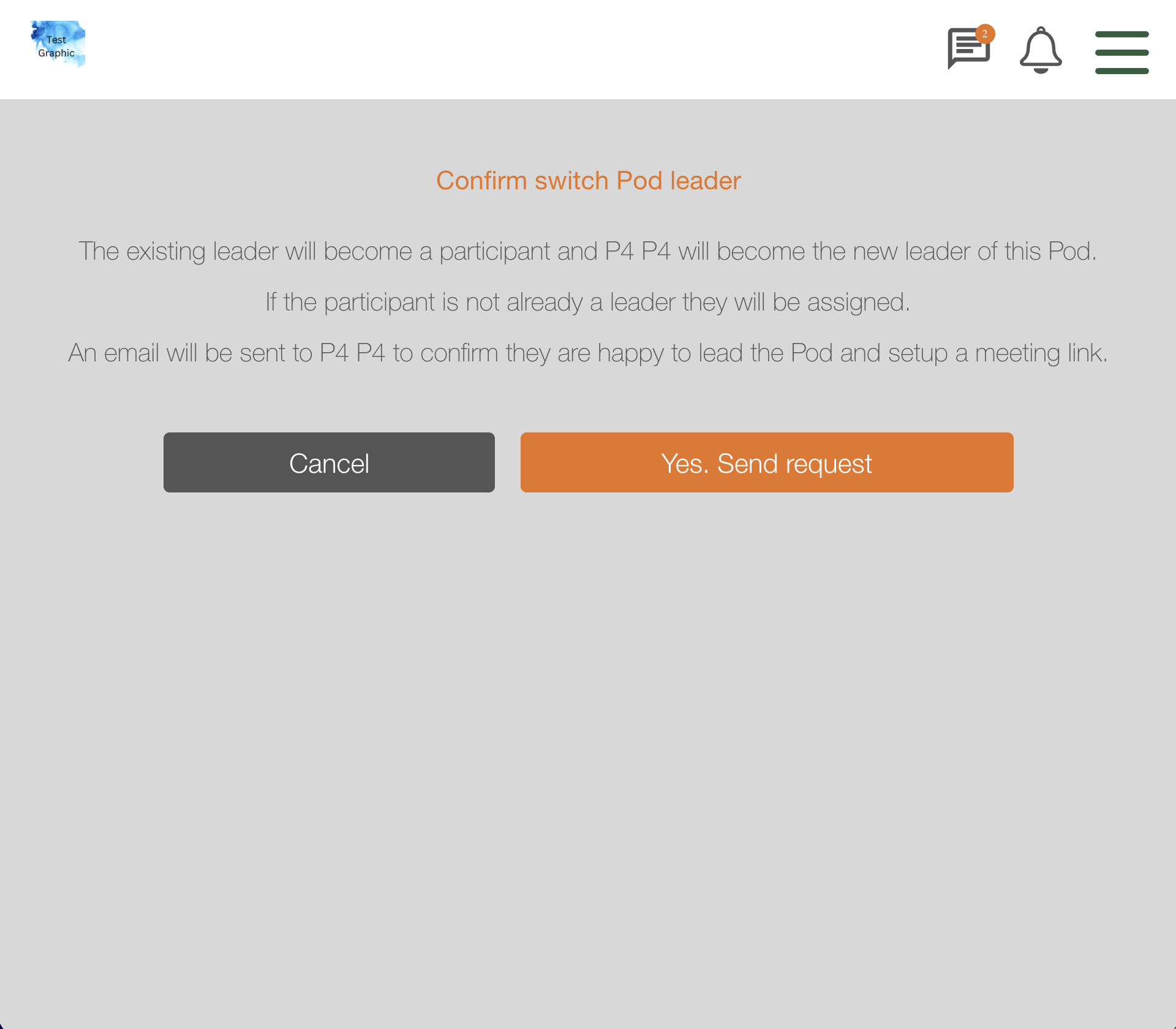
This will open the Confirm switch Pod leader screen
4. Click the Yes. Send request button.
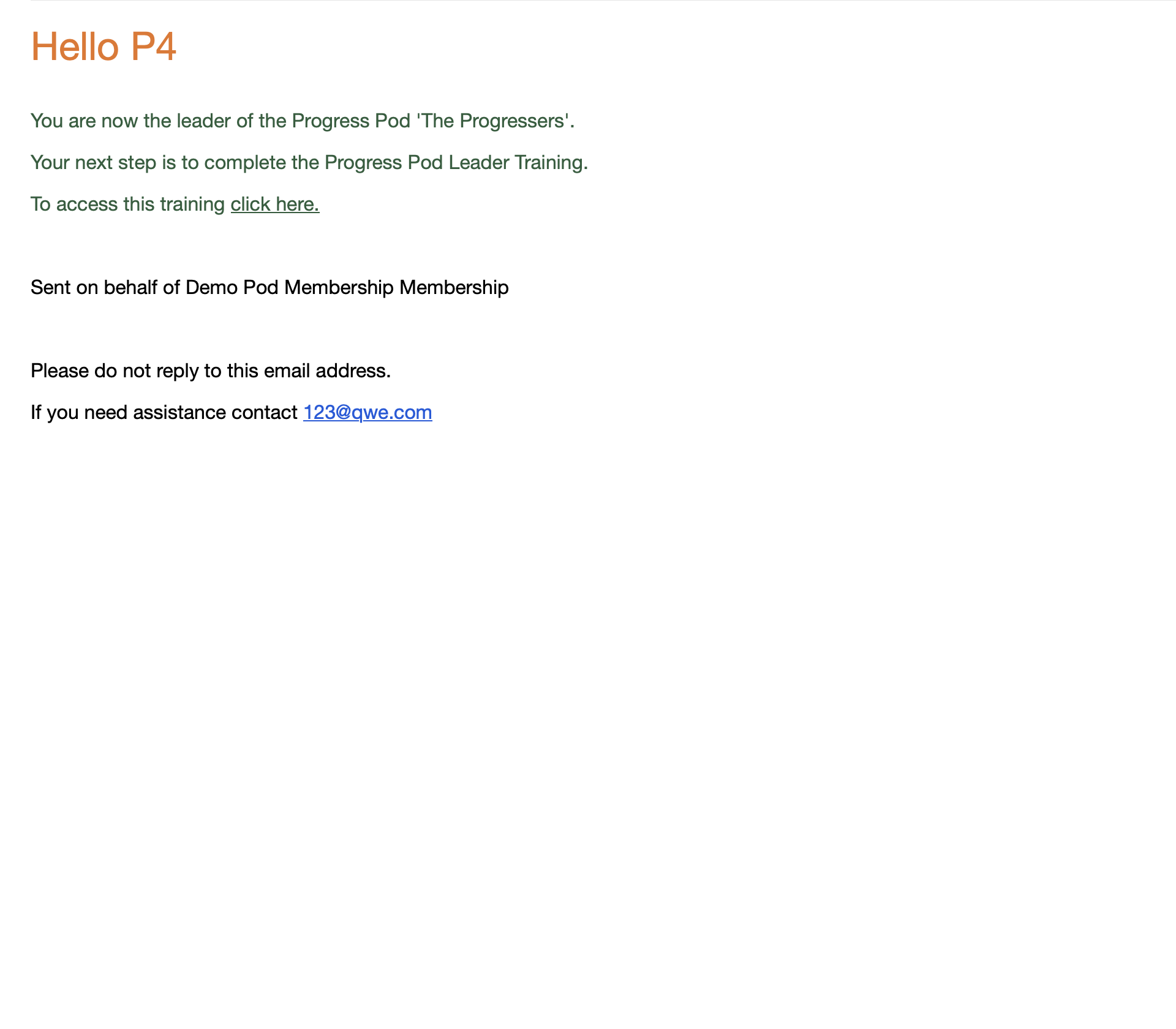
The participant will be sent an email requesting that they click a link to accept the role. You will be able to see that they have accepted the role on the View participants and pods screen.

Once they have clicked the link to accept the role they will be sent an email informing them that the swap/transfer has been completed and that they are now the new leader of their pod.